REQUEST ONLINE ORDERING ACCESS
To sign-up for Online Ordering, follow these steps:
- Go to gfsstore.com/request-access and fill out the form.
- Look in your inbox for an email prompting you to create a new password.
- Start shopping online!
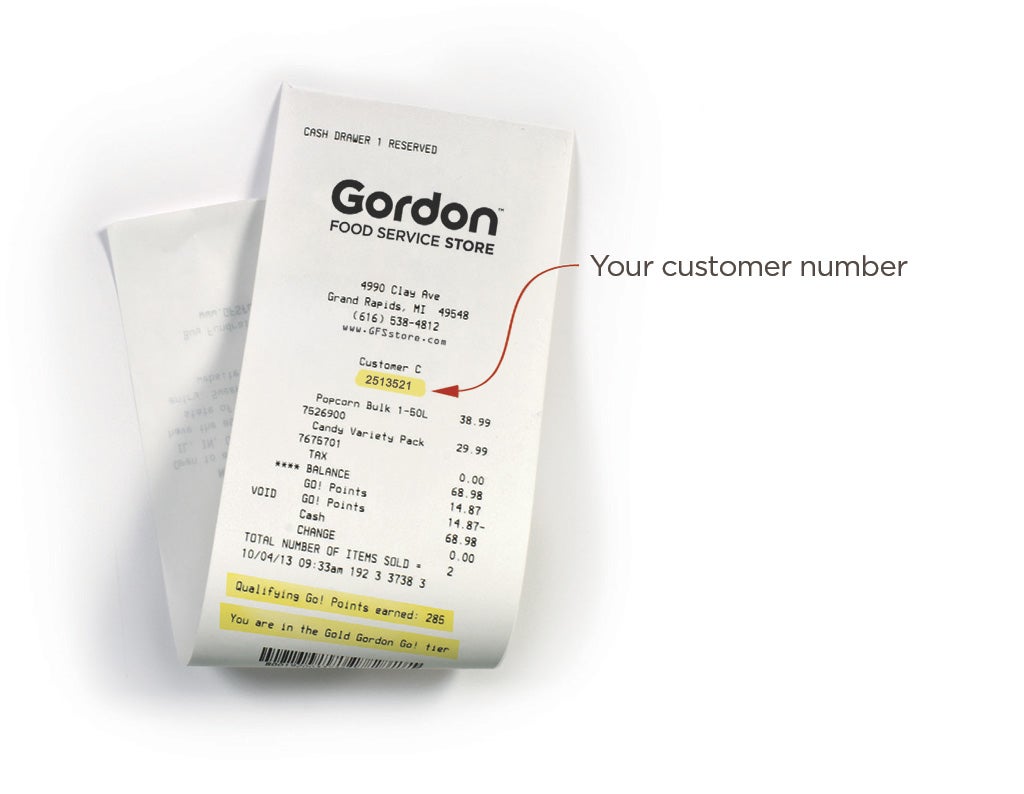
How To Find Your Customer ID
Locate your customer ID at the top of a store receipt. If you still cannot locate your Customer ID, give us a call: 877-779-3469.